Note
Go to the end to download the full example code.
Validate weighted
This example draws a series of semitransparent planes using weighted mode.
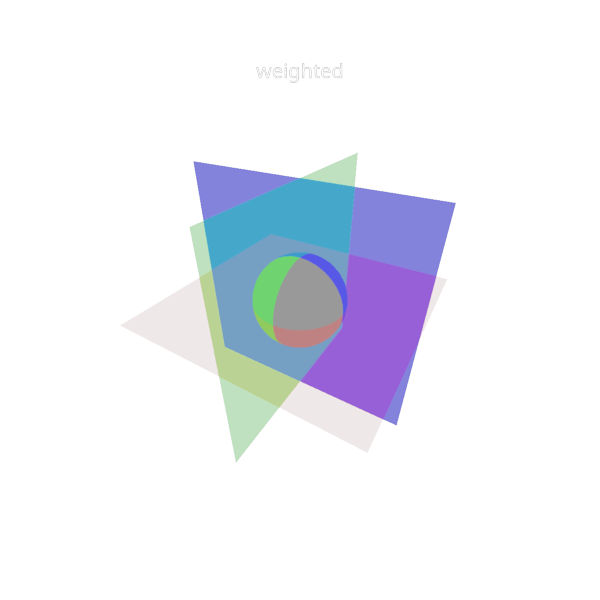
from rendercanvas.auto import RenderCanvas, loop
import pygfx as gfx
import pylinalg as la

canvas = RenderCanvas(size=(600, 600))
renderer = gfx.renderers.WgpuRenderer(canvas)

scene = gfx.Scene()

sphere = gfx.Mesh(gfx.sphere_geometry(10), gfx.MeshPhongMaterial())

geometry = gfx.plane_geometry(50, 50)
plane1 = gfx.Mesh(
    geometry, gfx.MeshBasicMaterial(alpha_mode="weighted_blend", color="r", opacity=0.3)
)
plane2 = gfx.Mesh(
    geometry, gfx.MeshBasicMaterial(alpha_mode="weighted_blend", color="g", opacity=0.5)
)
plane3 = gfx.Mesh(
    geometry, gfx.MeshBasicMaterial(alpha_mode="weighted_blend", color="b", opacity=0.7)
)

plane1.local.rotation = la.quat_from_axis_angle((1, 0, 0), 1.571)
plane2.local.rotation = la.quat_from_axis_angle((0, 1, 0), 1.571)
plane3.local.rotation = la.quat_from_axis_angle((0, 0, 1), 1.571)

t = gfx.Text(
    text="weighted",
    screen_space=True,
    font_size=20,
    material=gfx.TextMaterial(aa=True),
)
t.local.position = (0, 40, 0)

scene.add(plane1, plane2, plane3, sphere, t)
scene.add(gfx.AmbientLight(1, 1))

camera = gfx.PerspectiveCamera(70, 16 / 9, depth_range=(0.1, 2000))
camera.local.position = (30, 40, 50)
camera.look_at((0, 0, 0))


def animate():
    renderer.render(scene, camera)


canvas.request_draw(animate)


if __name__ == "__main__":
    print(__doc__)
    loop.run()
Total running time of the script: (0 minutes 0.457 seconds)
Gallery generated by Sphinx-Gallery
Interactive example
Try this example in your browser using Pyodide. Might not work with all examples and all devices. Check the output and your browser’s console for details.