Note
Go to the end to download the full example code.
Reference Color
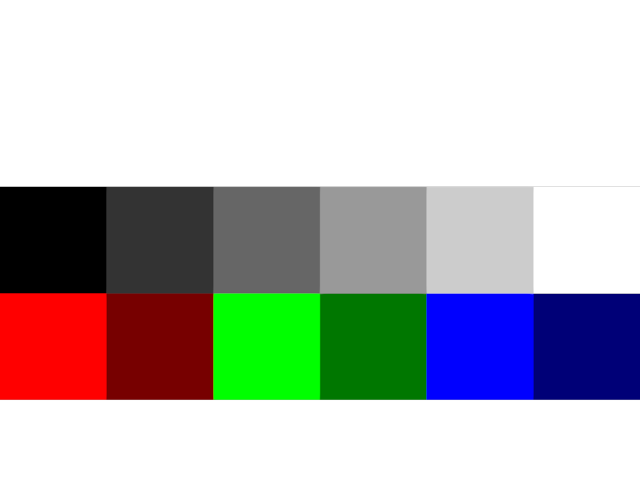
This example draws squares of reference colors. These can be compared to similar output from e.g. Matplotlib.
from rendercanvas.auto import RenderCanvas, loop
import pygfx as gfx

colors1 = ["#ff0000", "#770000", "#00ff00", "#007700", "#0000ff", "#000077"]
colors2 = ["#000000", "#333333", "#666666", "#999999", "#cccccc", "#ffffff"]

canvas = RenderCanvas()
renderer = gfx.WgpuRenderer(canvas, gamma_correction=1.0)
camera = gfx.OrthographicCamera()
camera.show_rect(-0.5, 5.5, 0, 2)
scene = gfx.Scene()

plane = gfx.plane_geometry()
for i, color in enumerate(colors1):
    m = gfx.Mesh(plane, gfx.MeshBasicMaterial(color=color))
    m.local.x = i
    m.local.y = 0
    scene.add(m)
for i, color in enumerate(colors2):
    m = gfx.Mesh(plane, gfx.MeshBasicMaterial(color=color))
    m.local.x = i
    m.local.y = 1
    scene.add(m)

canvas.request_draw(lambda: renderer.render(scene, camera))


# # Code to show the same scene in MPL
# import matplotlib.pyplot as plt
# from matplotlib.patches import Rectangle
# fig, ax = plt.subplots()
# ax.set_facecolor("k")
# plt.xlim([0, 6])
# plt.ylim([-1, 3])
# for i, color in enumerate(colors1):
#     ax.add_patch(Rectangle((i, 0), 1, 1, facecolor=color))
# for i, color in enumerate(colors2):
#     ax.add_patch(Rectangle((i, 1), 1, 1, facecolor=color))
# fig.show()


if __name__ == "__main__":
    print(__doc__)
    loop.run()
Total running time of the script: (0 minutes 0.156 seconds)
Gallery generated by Sphinx-Gallery
Interactive example
Try this example in your browser using Pyodide. Might not work with all examples and all devices. Check the output and your browser’s console for details.