Note
Go to the end to download the full example code.
Line colormapping
Nearly all objects in Pygfx can have a colormap. And the texcoords
can also be scaled using material.maprange. This is useful
in scientific applications, where texcoords can e.g. mean temperature of force.
The same approach can be used in points and meshes (and images and volumes, where this concept is commonly known as contrast limits.)
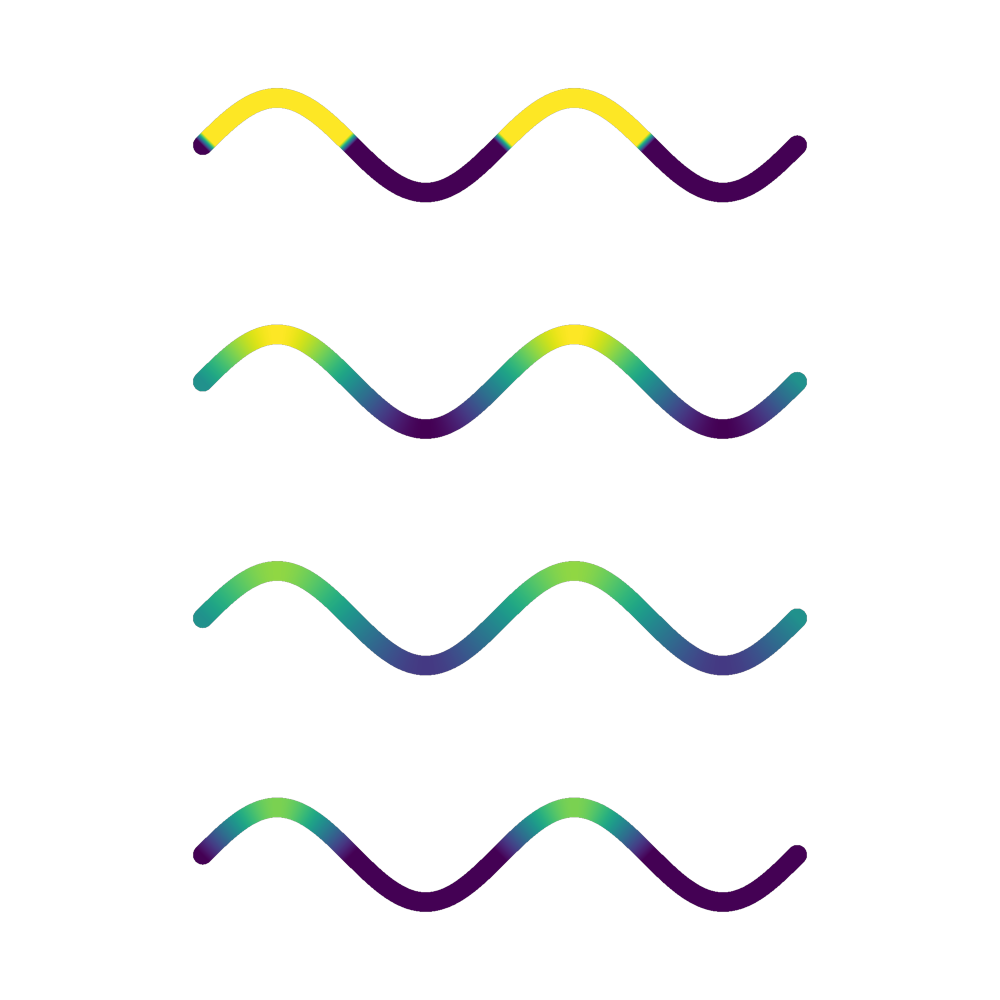
import numpy as np
from rendercanvas.auto import RenderCanvas, loop
import pygfx as gfx


canvas = RenderCanvas(size=(1000, 1000))
renderer = gfx.WgpuRenderer(canvas)

x = np.linspace(0, 4 * np.pi, 1000)
y = np.sin(x)


positions = np.array([x * 100, y * 100, np.zeros_like(x)], np.float32).T.copy()
mapcoords = y.astype(np.float32) * 8  # so values are in [-8, 8]

geometry = gfx.Geometry(positions=positions, texcoords=mapcoords)

line1 = gfx.Line(
    geometry,
    gfx.LineMaterial(
        thickness=20,
        color_mode="vertex_map",
        map=gfx.cm.viridis,
        maprange=None,  # default (0, 1)
    ),
)

line2 = gfx.Line(
    geometry,
    gfx.LineMaterial(
        thickness=20,
        map=gfx.cm.viridis,
        maprange=(-8, 8),  # full range
    ),
)
line3 = gfx.Line(
    geometry,
    gfx.LineMaterial(
        thickness=20,
        color_mode="vertex_map",
        map=gfx.cm.viridis,
        maprange=(-12, 12),  # zoomed out
    ),
)

line4 = gfx.Line(
    geometry,
    gfx.LineMaterial(
        thickness=20,
        color_mode="vertex_map",
        map=gfx.cm.viridis,
        maprange=(0, 10),  # Only positive half
    ),
)

for line in (line1, line2, line3, line4):
    line.material.thickness_space = "screen"

line1.local.position = 0, 0, 0
line2.local.position = 0, -500, 0
line3.local.position = 0, -1000, 0
line4.local.position = 0, -1500, 0

scene = gfx.Scene()
scene.add(line1, line2, line3, line4)

camera = gfx.OrthographicCamera()
camera.show_object(scene)

controller = gfx.OrbitController(camera, register_events=renderer)

canvas.request_draw(lambda: renderer.render(scene, camera))

if __name__ == "__main__":
    print(__doc__)
    loop.run()
Total running time of the script: (0 minutes 0.800 seconds)
Gallery generated by Sphinx-Gallery
Interactive example
Try this example in your browser using Pyodide. Might not work with all examples and all devices. Check the output and your browser’s console for details.