Note
Go to the end to download the full example code.
Post processing effects 2
Example post-processing effects, showing a custom effect.
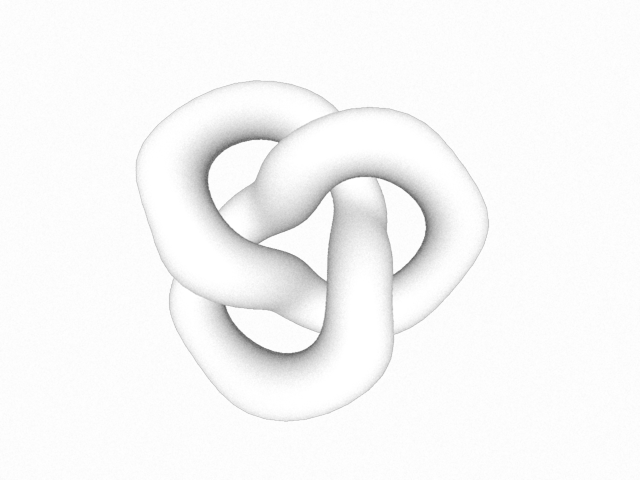
from rendercanvas.auto import RenderCanvas, loop
import pygfx as gfx
from pygfx.renderers.wgpu import EffectPass, NoisePass

canvas = RenderCanvas(update_mode="continuous")
renderer = gfx.renderers.WgpuRenderer(canvas)
scene = gfx.Scene()


obj = gfx.Mesh(
    gfx.torus_knot_geometry(1, 0.3, 128, 32),
    gfx.MeshPhongMaterial(map=None),
)
scene.add(obj)

camera = gfx.PerspectiveCamera(70, 1)
camera.show_object(scene)

scene.add(gfx.AmbientLight(), camera.add(gfx.DirectionalLight()))

controller = gfx.TrackballController(camera, register_events=renderer)


class SineEffectPass(EffectPass):
    """A custom effect by subclassing the base EffectPass.

    See how we implement the fragment shader entry point.
    Variables that already exist are:

    * varyings.position
    * varyings.texCoord
    * colorTex
    * depthText
    * texSamper
    * u_effect.time

    Extra uniforms can be added by overloading the uniform_type class variable.
    This works in the same way as in custom materials.
    """

    uniform_type = dict(
        EffectPass.uniform_type,
        magnitude="f4",
    )

    wgsl = """
    @fragment
    fn fs_main(varyings: Varyings) -> @location(0) vec4<f32> {
        let texCoord = varyings.texCoord.xy;
        let v = sin(texCoord.y * 20.0 + u_effect.time * 2.0) * u_effect.magnitude;
        let uv = vec2f(texCoord.x + v, texCoord.y);
        return textureSample(colorTex, texSampler, uv);
    }
    """

    def __init__(self, magnitude):
        super().__init__()
        self._uniform_data["magnitude"] = float(magnitude)


renderer.effect_passes = [SineEffectPass(0.01), NoisePass(0.2)]


if __name__ == "__main__":
    canvas.request_draw(lambda: renderer.render(scene, camera))
    loop.run()
Total running time of the script: (0 minutes 0.288 seconds)
Gallery generated by Sphinx-Gallery
Interactive example
Try this example in your browser using Pyodide. Might not work with all examples and all devices. Check the output and your browser’s console for details.